ServeMon
FATAL: role "postgres" does not exist with Homebrew Postgres
psql: error: connection to server on socket "/tmp/.s.PGSQL.5432" failed: FATAL: role "postgres" does not existThe short fix: drop -U postgres and connect as yourself, or create the role your tutorial, Compose file, or app config expects:
psql -d postgres
createuser -s postgres
The first works on any Homebrew cluster right now. The second makes psql -U postgres and every postgres://postgres@localhost/... URL work from then on. Both are explained below. This is a different problem from connection to server on socket failed: No such file or directory: there no server answered; here a server accepted the connection and then rejected the user name. A FATAL always comes from the server. Below, $(brew --prefix) is /opt/homebrew on Apple silicon and /usr/local on Intel, and postgresql@17 stands for whichever version you installed.
Why Homebrew has no postgres role
When a postgresql@ formula is installed, Homebrew creates the cluster by running, as you:
initdb --locale=en_US.UTF-8 -E UTF-8 /opt/homebrew/var/postgresql@17Unless initdb is given -U, it names the first superuser after the operating-system user running it. A fresh Homebrew cluster therefore has exactly one role, named after your macOS user, and three databases: postgres, template0, and template1. The Linux packages and the official Docker image create a superuser called postgres, which is why almost every tutorial, docker-compose.yml, and .env.example uses that name.
The Linux habit sudo -u postgres psql does not help either. macOS has no account called postgres (the built-in one is _postgres, and Homebrew does not use it), so sudo fails before psql runs.
Connect as yourself
psql -d postgresWithout -U, psql logs in as your macOS user name, or as $PGUSER if that is set. Once you are in, \du shows the roles that do exist:
                             List of roles
 Role name |                         Attributes
-----------+------------------------------------------------------------
 alice     | Superuser, Create role, Create DB, Replication, Bypass RLS
That role is a full superuser, so for local work you can do anything from here, including creating the role your app expects.
The other half: FATAL: database "alice" does not exist
psql: error: connection to server on socket "/tmp/.s.PGSQL.5432" failed: FATAL: database "alice" does not existRun plain psql with no -d and it connects to a database with the same name as the user. Homebrew created a role called alice, but no database of that name. Either always pass -d postgres, or create the missing database once:
createdbcreatedb with no argument creates a database named after you, and plain psql works from then on. psql -l lists databases even before you do this, because it connects to postgres rather than to a database named after you.
Create the postgres role
If a project, a Compose file you are replacing with Homebrew, or a teammate's DATABASE_URL uses postgres, create it once:
createuser -s postgres
psql -U postgres -c 'SELECT current_user, current_database();'
-s makes it a superuser, matching what the role is on Linux and in Docker. createuser gives the role the right to log in. psql -U postgres lands in the existing postgres database because the default database name follows the user name, so no createdb is needed for this role. If you prefer SQL, include LOGIN. A plain CREATE ROLE postgres SUPERUSER; creates a role that cannot connect, and the error changes to:
FATAL: role "postgres" is not permitted to log inFix that one with ALTER ROLE postgres LOGIN;. If the role already exists, createuser stops with ERROR: role "postgres" already exists, which is harmless.
For an app that does not need superuser rights, a narrower role is closer to production:
createuser --createdb myapp
createdb -O myapp myapp_development
Passwords: Homebrew trusts local connections
grep -v '^#' "$(brew --prefix)/var/postgresql@17/pg_hba.conf" | grep -v '^$'A Homebrew cluster uses trust for the Unix socket, 127.0.0.1, and ::1. Any existing role can log in from your Mac with any password or none, so postgres://postgres:postgres@localhost:5432/app works as soon as the role exists, and the password part is ignored. That is convenient, and it means a wrong password in your app config will not show up locally. To have passwords checked, give the role one (ALTER ROLE postgres PASSWORD 'secret';), change trust to scram-sha-256 on the lines you want checked, and run brew services restart postgresql@17.
Make sure you reached the server you meant
The same error with your own name, FATAL: role "alice" does not exist, usually means the reverse: you reached a Docker container. The official image's only role is postgres, or whatever POSTGRES_USER was set to the first time its volume was initialized. The start of the error line tells you something too. on socket "/tmp/.s.PGSQL.5432" is always a native server, because a container never creates a socket on your Mac. connection to server at "127.0.0.1", port 5432 is TCP and could be either.
lsof -nP -iTCP:5432 -sTCP:LISTEN
psql -d postgres -c 'SHOW data_directory;'
If lsof shows com.docker.backend or OrbStack and also postgres, two servers share the port, and your app and psql may be reaching different ones. Homebrew Postgres and a Docker container both on 5432 sorts that out.
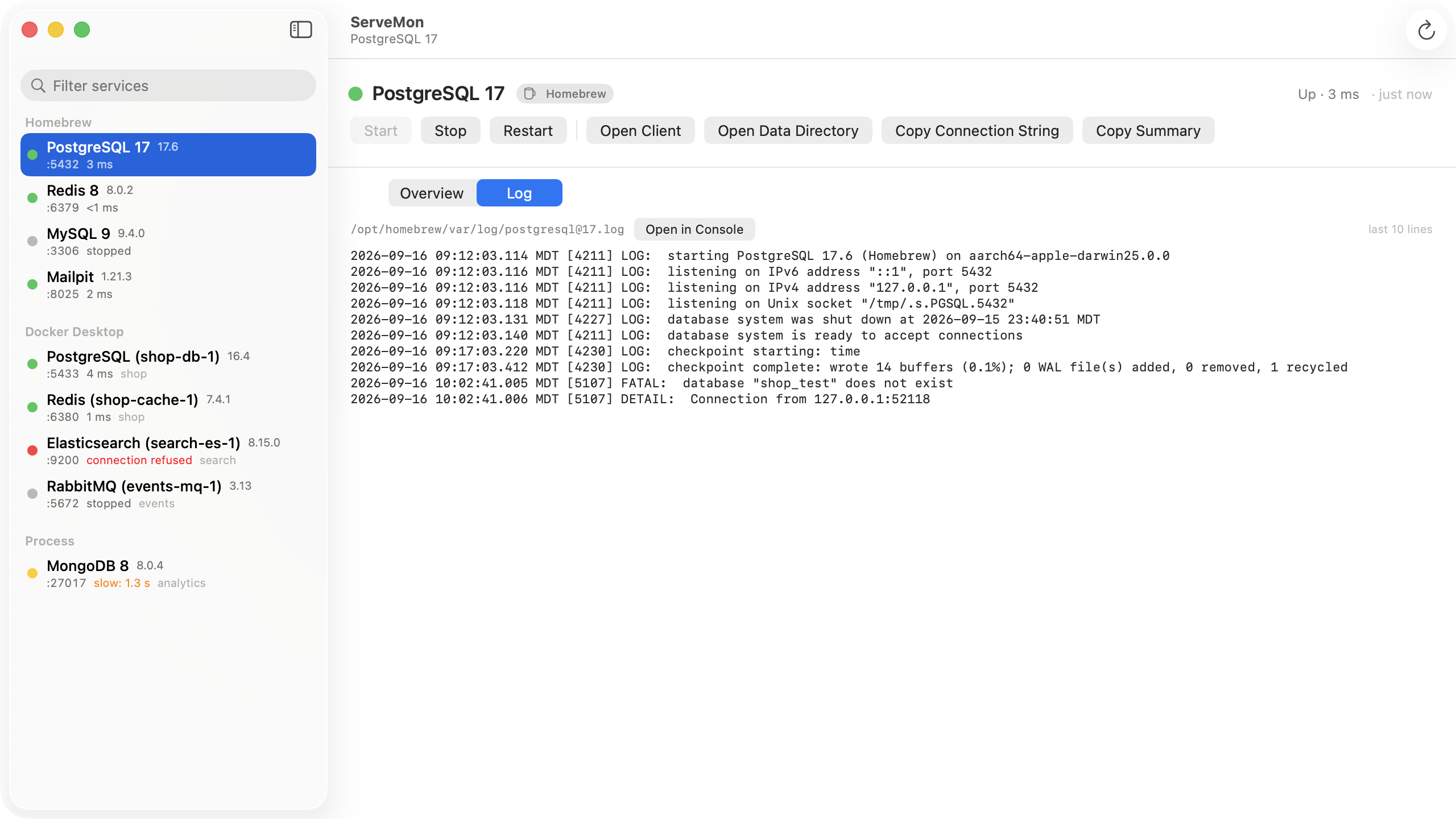
When the error comes from an app rather than psql, the server log records it too, as FATAL: role "postgres" does not exist, so you can see whether the app is reaching this server at all:
tail -n 20 "$(brew --prefix)/var/log/[email protected]"The easier way
ServeMon builds each Postgres connection string from the user that actually exists. For a Homebrew server that is your macOS user and the postgres database. For a container it is POSTGRES_USER, or postgres if that is not set, so the two are not mixed up. Its health check counts a server that rejects the login as up, so a green dot next to this error tells you the server is fine and the user name is wrong. For a Homebrew service, the Log tab tails the same log file as the command above.