ServeMon
FATAL: sorry, too many clients already on a local Postgres
psql: error: connection to server at "localhost" (::1), port 5432 failed: FATAL: sorry, too many clients alreadyFATAL: remaining connection slots are reserved for roles with the SUPERUSER attributeBoth messages mean the same thing. The first is what a superuser sees when all slots are gone; the second is what everyone else sees three slots earlier. The short version: connect as a superuser, see who holds the slots, and close the idle ones.
psql -d postgresselect usename, application_name, client_addr, state, count(*)
from pg_stat_activity
where backend_type = 'client backend'
group by 1, 2, 3, 4
order by 5 desc;Each step is explained below. Everything on this page was checked against Homebrew's PostgreSQL 17.10 with the limit turned down to 5 so the error could be forced on purpose. Below, postgresql@17 stands for whichever Homebrew version you installed.
Why 100 runs out on a laptop
initdb writes max_connections = 100 into postgresql.conf, and that is what a Homebrew install and the official Docker image both run with. Three of those slots are held back by superuser_reserved_connections = 3, so a normal role gets the reserved for roles with the SUPERUSER attribute message at 97 (older servers word it reserved for non-replication superuser connections), and only a superuser can use the last three, until they are gone too and everyone gets sorry, too many clients already. Check what your server has:
psql -d postgres -c "show max_connections" -c "show superuser_reserved_connections"The reserved slots are why psql usually still gets in when your app cannot. With Homebrew your macOS user is the superuser, and in a container POSTGRES_USER is. That is the door you use to look around.
See who holds the slots
select pid, usename, application_name, client_addr, state,
       now() - state_change as idle_for, left(query, 40) as query
from pg_stat_activity
where backend_type = 'client backend'
order by state_change;
One row per connection. application_name is the quickest way to tell programs apart: psql sets it to psql, and most GUI clients and ORMs set their own. Drivers such as node-postgres and psycopg leave it empty unless you put application_name=api in the connection string, which is worth doing in every project for exactly this moment. client_addr is 127.0.0.1 or ::1 for TCP and empty for the Unix socket, which separates a container (always TCP) from a native app. state is active while a query runs and idle between queries; idle in transaction is a connection that opened a transaction and never finished it. idle_for says how long it has been sitting there. The grouped query above gives the same picture in a few rows, and the count against the limit is one more line:
select count(*) as used, current_setting('max_connections') as max
from pg_stat_activity where backend_type = 'client backend';
The usual suspects on a dev machine
- A hot-reloading dev server. Next.js, Nest, Remix, Vite SSR and friends re-run your modules on every file save. If the module that creates a pg.Pool, PrismaClient or Drizzle client is re-evaluated, each save opens a new pool and the old one stays open until the process exits. Prisma's default pool is num_cpus * 2 + 1 per client, 21 on a 10-core Mac, so five saves is the whole server. The fix is the usual one: cache the client on globalThis in development so a reload reuses it.
- A parallel test runner. Jest and Vitest run files in worker processes, and each worker runs your setup file and opens its own pool. Eight workers times a pool of 10 is 80 connections before the first test. pytest-xdist and parallel RSpec do the same. Give tests a pool size of 1 or 2, or run with fewer workers.
- Process trees that multiply. Puma workers times threads times the Rails pool; Gunicorn workers times the SQLAlchemy pool; Sidekiq or Celery concurrency on top. Each level multiplies the one below.
- GUI clients. TablePlus, Postico, DBeaver, pgAdmin and DataGrip open a connection per tab or query window, and some keep one per database they have expanded in the sidebar. They show up by name in application_name.
- A process you forgot. A dev server from yesterday in another terminal tab, or one that detached from a closed tab. pgrep -fl node and pgrep -fl python show them.
Close the idle ones
Terminating an idle connection is safe: the client gets an error on its next query and, if it uses a pool, reconnects. This ends every idle connection except your own, so you can get your app back at once and then fix the leak:
select pg_terminate_backend(pid)
from pg_stat_activity
where state = 'idle' and pid <> pg_backend_pid();
Add and application_name = 'DBeaver' or and usename = 'app' to be selective. pg_terminate_backend on an idle in transaction row rolls that transaction back, which is what you want in development. Then stop the program that opened them, otherwise it fills the server again.
Raise the limit
If the honest number for your setup is more than 100, raise it. Each connection costs a few megabytes of memory and a little bookkeeping, so 200 or 300 on a development Mac is fine. max_connections needs a restart; it cannot be reloaded.
Homebrew. ALTER SYSTEM writes the setting to postgresql.auto.conf in the data directory, where it overrides postgresql.conf, and show keeps reporting the old value until the restart:
psql -d postgres -c "alter system set max_connections = 200;"
brew services restart postgresql@17
psql -d postgres -c "show max_connections"
Docker. The container's postgresql.conf is inside the volume, so the clean way is to pass the setting on the command line, which the official image forwards to the server. In docker-compose.yml:
services:
  db:
    image: postgres:17
    command: postgres -c max_connections=200
Or docker run ... postgres:17 -c max_connections=200. Recreate the container with docker compose up -d for it to take effect. Postgres.app: edit max_connections in ~/Library/Application Support/Postgres/var-17/postgresql.conf and restart the server from the app.
Two settings help without a restart. idle_session_timeout closes connections that have done nothing for a while, which catches leaked pools and forgotten GUI tabs, and idle_in_transaction_session_timeout ends the stuck-transaction kind. Both are reloadable:
psql -d postgres -c "alter system set idle_session_timeout = '30min';" -c "select pg_reload_conf();"Do not set idle_session_timeout on a server behind a connection pooler, where idle is the normal state of a pooled connection. For a local server used by one person it is a reasonable default.
The easier way
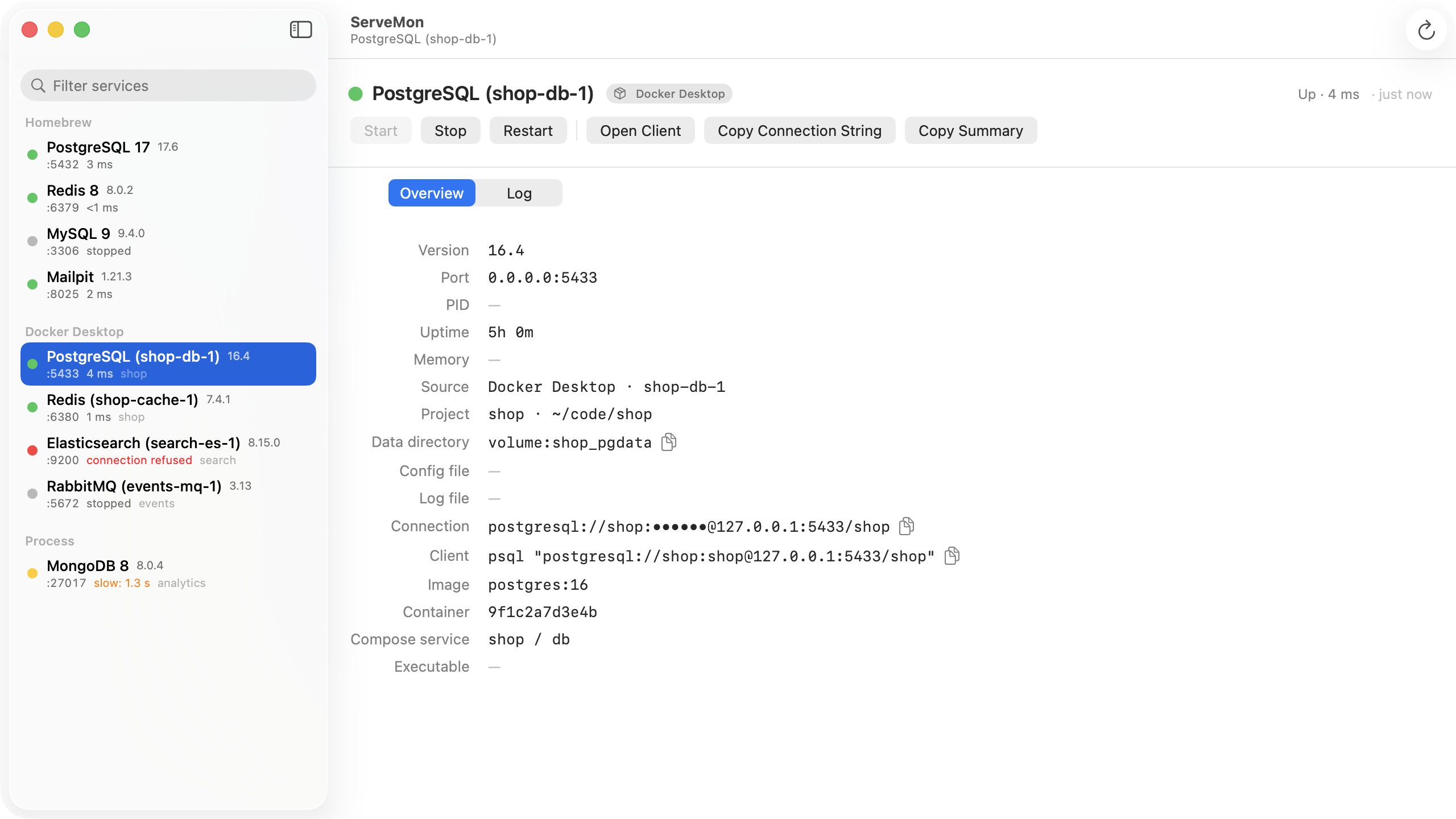
ServeMon's health check is one short connection: it sends a startup message, reads the server's version from the handshake, and closes the moment the server is ready, so it is not what fills the slots. A server that answers this FATAL still counts as up, so a green dot next to this error means the server is fine and the connections are the problem. The sidebar shows every Postgres on the Mac with its port and where it came from, Homebrew, Postgres.app, Docker Desktop, OrbStack, Colima or Podman, so you know which server's max_connections you are looking at when a container and a Homebrew install are both running.