ServeMon
ERROR! The server quit without updating PID file with Homebrew MySQL
Starting MySQL
. ERROR! The server quit without updating PID file (/opt/homebrew/var/mysql/MacBook-Pro.local.pid).
mysql.server start runs mysqld_safe in the background and waits for the server to write a PID file named after your Mac's hostname. If mysqld_safe exits first, because the server died during startup, the script prints this line. It is a symptom. The cause is in the error log, and the fixes below depend on what that log says. Below, $(brew --prefix) is /opt/homebrew on Apple silicon and /usr/local on Intel.
A leftover PID file is almost never the problem, even though the message mentions one. Before starting the server, mysqld_safe deletes any PID file whose process is not a running mysqld. Deleting it yourself changes nothing, and deleting files inside the data directory can lose data.
Read the error log
ls -lt "$(brew --prefix)"/var/mysql/*.err
tail -n 40 "$(brew --prefix)/var/mysql/$(hostname).err"
MySQL does not write to Homebrew's usual var/log. It writes <hostname>.err inside the data directory, and each start attempt appends to it. Read from the last mysqld_safe Starting mysqld daemon with databases from line down. The line that matters is tagged [ERROR], a few lines before the server shuts down. If your Mac's name has changed, the newest .err file in the ls -lt list may have the old name. To pull out only the errors:
grep -n 'ERROR' "$(brew --prefix)/var/mysql/$(hostname).err" | tail -n 20What follows covers the errors that come up most, in order of likelihood. The same failures show up under brew services as a service stuck at error, or at started while nothing answers. See brew services says started but the service is not running.
1. Another mysqld already has the data or the port
Two variants appear in the log. The first means another server is using the same data directory. The second means something else is listening on 3306:
Unable to lock ./ibdata1 error: 35
Check that you do not already have another mysqld process using the same InnoDB data or log files.
Can't start server: Bind on TCP/IP port: Address already in use
Do you already have another mysqld server running on port: 3306 ?Find the other one:
pgrep -lf mysqld
lsof -nP -iTCP:3306 -sTCP:LISTEN
brew services list
pgrep -lf prints full paths, which tell installs apart: /opt/homebrew/opt/[email protected]/bin/mysqld is a different Homebrew formula on the same data directory, and /usr/local/mysql/bin/mysqld is the installer from mysql.com. If lsof shows com.docker.backend or OrbStack, a container has the port. Stop the other server the way it was started, for example brew services stop [email protected] or docker stop <name>, rather than killing it.
The common way to get here is mixing two managers. brew services start mysql already runs the server under launchd and restarts it at login. Running mysql.server start on top of that starts a second copy. Pick one. For most setups that is brew services, and then mysql.server is not needed at all.
2. Files the server cannot write
Operating system error number 13 in a file operation.
The error means mysqld does not have the access rights to the directory.
Error 13 is Permission denied. You may also see Can't create/write to file '...' (OS errno 13 - Permission denied). Homebrew runs MySQL as you, so every file in the data directory has to be yours. The usual cause is having once run sudo mysql.server start or sudo mysqld: anything the server created during that run belongs to root. List what is not yours:
ls -ld "$(brew --prefix)/var/mysql"
find "$(brew --prefix)/var/mysql" ! -user "$(whoami)" | head
If find prints anything, confirm with pgrep -lf mysqld that no server is running, take ownership back, and start without sudo:
sudo chown -R "$(whoami)" "$(brew --prefix)/var/mysql"
brew services start mysql
3. A data directory from another MySQL version
The mysql and [email protected] formulae both use $(brew --prefix)/var/mysql, and brew uninstall never removes it. So brew upgrade, or switching formulae, can hand an existing data directory to a version that refuses it:
Invalid MySQL server upgrade: Cannot upgrade from ... to .... Upgrade to next major version is only allowed from the last LTS release, which version ... is not.Invalid MySQL server downgrade: Cannot downgrade from ... to .... Target MySQL server version is lower than the server downgrade threshold ....Upgrade after a crash is not supported. This redo log was created with ..., and it appears corrupted.The log already shows which version last ran successfully, and newer MySQL versions also keep a history file in the data directory:
grep 'ready for connections' "$(brew --prefix)/var/mysql/$(hostname).err" | tail -n 3
cat "$(brew --prefix)/var/mysql/mysql_upgrade_history"
What to do depends on which message you have.
- Cannot upgrade. The data has to go through the LTS release first. Homebrew's own caveat for the mysql formula gives the steps: brew services stop mysql, brew install [email protected], brew services start [email protected], brew services stop [email protected], brew services start mysql. brew info mysql prints the current version of that caveat.
- Cannot downgrade. A newer server has already upgraded this data. Go back to the newer formula. If you really need the older version, dump with the newer one (mysqldump --all-databases) and restore into a fresh data directory.
- Upgrade after a crash. The old server did not shut down cleanly before the upgrade. Start the version that last ran, let it recover, stop it with brew services stop, then start the new one.
Do not delete ibdata1, the ib_logfile or #innodb_redo files, or the whole directory, as older answers suggest. That is where your data lives. If the data really is disposable, move it aside instead, so you can still go back, and initialize a fresh, empty one with a passwordless root:
mv "$(brew --prefix)/var/mysql" "$(brew --prefix)/var/mysql.old"
"$(brew --prefix)/opt/mysql/bin/mysqld" --initialize-insecure --basedir="$(brew --prefix)/opt/mysql" --datadir="$(brew --prefix)/var/mysql"
4. The disk is full
df -h "$(brew --prefix)/var/mysql"The log says No space left on device, often as OS errno 28. Free some space and start again. Look inside the data directory too: MySQL 8 and later keep binary logs (binlog.000001 and up) by default, and a busy development database can pile them up. Remove them with PURGE BINARY LOGS once the server is running again, not with rm.
5. A config file it does not understand
A line like unknown variable 'name=value' or unknown option '--name' means a config file sets something this version does not have, often a setting removed in a newer release. MySQL reads several files, not only Homebrew's:
mysql --help | grep -A1 'Default options'
my_print_defaults mysqld
The first lists the files in the order they are read: /etc/my.cnf /etc/mysql/my.cnf /opt/homebrew/etc/my.cnf ~/.my.cnf. The second prints the options the server will get from them. Homebrew's own caveat warns that an /etc/my.cnf left behind by another install can stop its server from starting. Remove or comment out the offending line, or rename the stray file, and start again.
6. The binary cannot load at all
"$(brew --prefix)/opt/mysql/bin/mysqld" --versionThis should print a version. If it prints dyld[...]: Library not loaded: instead, a Homebrew upgrade has replaced a library that this mysqld was built against, and the server cannot start no matter what the data looks like. brew update and then brew upgrade mysql installs a build that matches the current libraries. Read its caveats first, because the upgrade may also be a new major version, which brings in section 3.
Then confirm it answers
brew services start mysql
mysqladmin -h 127.0.0.1 -P 3306 ping
mysqld is alive means fixed. Check the end of the .err file once more for ready for connections. If you can now connect but cannot log in, see Access denied for user 'root'@'localhost'.
The easier way
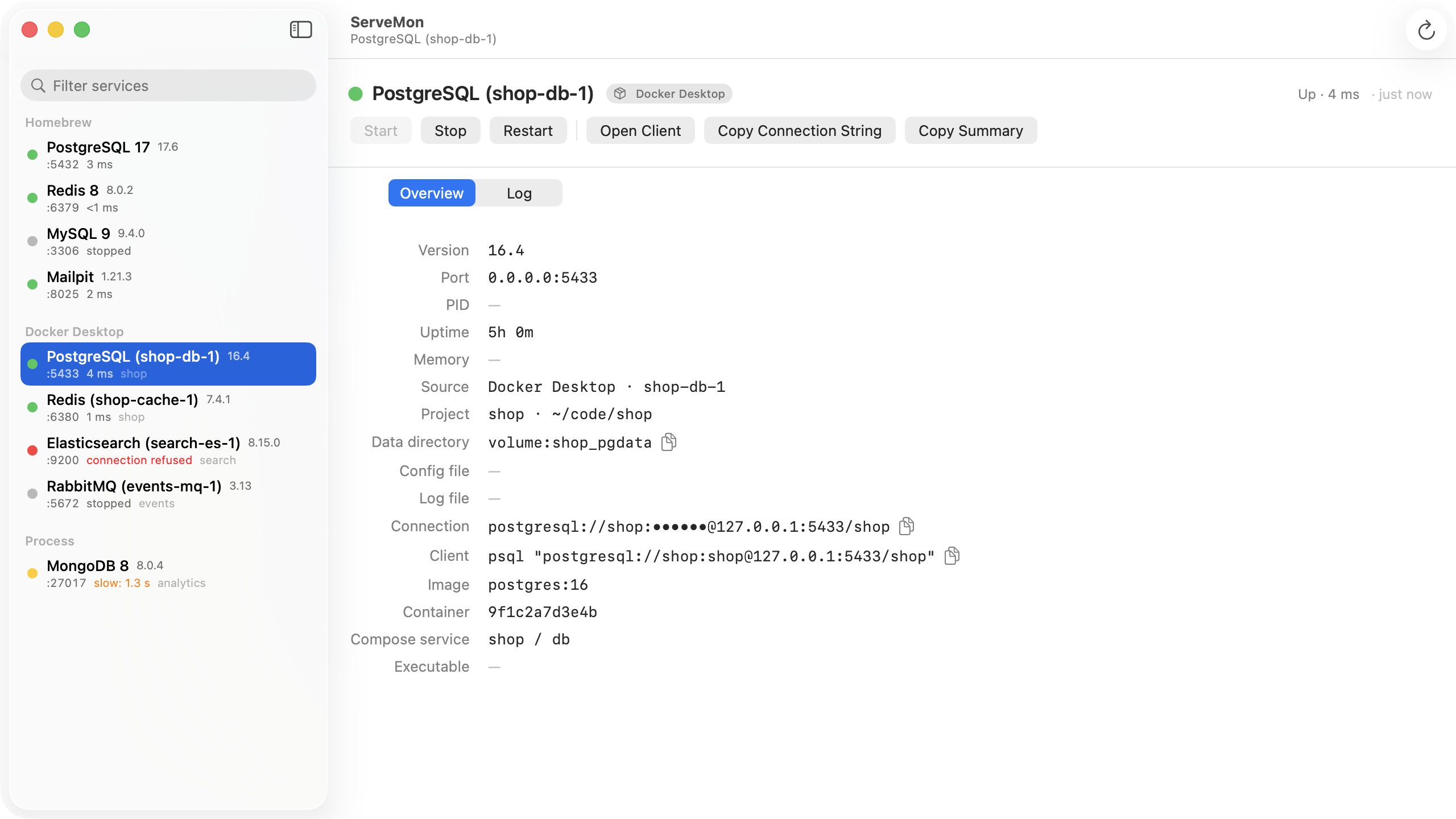
ServeMon lists every MySQL on the Mac with a badge for where it came from: Homebrew, Docker, or a bare process. A second server on 3306 shows up next to the one you meant to start. For a Homebrew MySQL the Log tab tails the <hostname>.err file in the data directory, so the [ERROR] line is one click away. For a Homebrew service, Start and Stop go through brew services, the same launchd job as the command line, not a second copy of the server.