ServeMon
brew services start fails with “Bootstrap failed: 5: Input/output error”
Bootstrap failed: 5: Input/output error
Error: Failure while executing; `/bin/launchctl bootstrap gui/501 /Users/you/Library/LaunchAgents/[email protected]` exited with 5.
The short version, with your formula in place of postgresql@17:
launchctl print gui/$(id -u)/homebrew.mxcl.postgresql@17 | grep -E 'state =|last exit'
brew services restart postgresql@17
tail -n 50 /opt/homebrew/var/log/[email protected]
If the first command prints a state, launchd already has the job, and restart unloads it before loading it again. If it prints Could not find service, skip to the job is not loaded. Either way the log is where the actual error is.
What Homebrew does here was read from its own source (Homebrew 7.0.10, Library/Homebrew/services/), and the launchctl commands and their output were checked on macOS 27. No launchd job was loaded to write this page, so the failure itself was not reproduced; where a cause rests on bug reports rather than documentation, the page says so. Paths are for Apple Silicon (/opt/homebrew); on an Intel Mac use /usr/local.
What the two lines mean
brew services start writes the formula’s plist to ~/Library/LaunchAgents, runs launchctl enable on its label, and then runs launchctl bootstrap gui/<your uid> on the plist. The first line is launchctl refusing; the second is Homebrew reporting that the command it ran exited with 5. The server never started, so there is nothing in the server’s log from this attempt.
5 is the ordinary POSIX error number for an I/O error, not a disk problem:
launchctl error 55: Input/output errorlaunchctl does have more specific codes (launchctl error 119 is Service is disabled, 122 is Path had bad ownership/permissions), but a failed bootstrap very often reports plain 5 instead. Apple’s long-running developer forum thread on this error collects half a dozen different causes, all behind the same number. So read 5 as “launchd said no” and work through the cases below in order.
1. The job is already loaded (the usual case)
Homebrew’s start skips a service only when it has a running process. A service whose server has crashed is still loaded: the Postgres, MySQL and Redis plists set KeepAlive, so launchd keeps the job and tries to relaunch it, no more often than every 10 seconds by default (man launchd.plist, ThrottleInterval). brew services list shows it as error followed by the exit code. Run start again and Homebrew asks launchd to bootstrap a label it already has. Ask launchd:
launchctl print gui/$(id -u)/homebrew.mxcl.postgresql@17 | grep -E 'state =|last exit|runs ='A loaded job prints its state, such as state = not running or state = spawn scheduled, with the last exit code and how many times it has run. A job launchd does not have prints Could not find service "homebrew.mxcl.postgresql@17" in domain for user gui: 501 instead.
If it is loaded, use restart. Homebrew’s manual describes it as “Stop (if necessary) and start”, and its code stops the job first whenever it is loaded, which start does not. That is why reports such as this Tor one find that restart works where start failed. The manual equivalent is to unload the job yourself:
brew services restart postgresql@17launchctl bootout gui/$(id -u)/homebrew.mxcl.postgresql@17
brew services start postgresql@17That only clears the error. If the server dies on every start, brew services list goes back to error a few seconds later, and the next start fails the same way. Go on to step 2.
2. The server dies on start, and its log says why
Read the file the plist sends the server’s output to:
plutil -extract StandardErrorPath raw -o - ~/Library/LaunchAgents/[email protected]
tail -n 50 /opt/homebrew/var/log/[email protected]
Postgres and Redis log to /opt/homebrew/var/log/<formula>.log. Homebrew’s MySQL plist sets no log path at all; MySQL writes <hostname>.err in its data directory, so look with ls /opt/homebrew/var/mysql/*.err. Causes reported with this exact error:
- A data directory from an older major version. After an upgrade from MySQL 8.3, the log said Invalid MySQL server upgrade: Cannot upgrade from 80300 to 90001 (Homebrew discussion #5539). brew info mysql now prints the route: run [email protected] once, then 9. For Postgres the log says database files are incompatible with server; see upgrading Homebrew Postgres to a new major version.
- A config option the server does not know. In homebrew-services #556, MariaDB aborted on unknown variable 'mysqlx-bind-address=127.0.0.1', a MySQL setting. brew info mysql warns that an /etc/my.cnf from another install may interfere.
- The port or the data directory is taken by another copy of the server, or a stale pid file. brew services says started but the service is not running covers each of these, and The server quit without updating PID file covers MySQL in detail.
If the log is empty or missing, run the server in the foreground, which is what a Homebrew maintainer asked for in #556. The plist has the exact command:
plutil -extract ProgramArguments json -o - ~/Library/LaunchAgents/[email protected]Run those words in a terminal, after brew services stop postgresql@17 so launchd is not starting a second copy, and the error prints right there. Stop it with Ctrl+C, not Ctrl+Z (see what Ctrl+Z does to a server).
3. The job is not loaded, and bootstrap still fails
Then launchd is rejecting the plist or the session. Check the plist first:
P=~/Library/LaunchAgents/[email protected]
plutil -lint $P
ls -l $P
ls -l "$(plutil -extract ProgramArguments.0 raw -o - $P)"- plutil -lint should print OK. Homebrew generates this file, so a parse error means someone edited it.
- Ownership. Homebrew writes the file as you with mode 644, which ls -l shows as -rw-r--r--. launchd checks a plist’s owner and permissions (that is what error 122 is for), and one report in the forum thread above fixed this error with chmod go-w on a group-writable plist. If yours is not owned by you or is writable by others, put it back with chmod 644, or let brew services start rewrite it.
- The program. The last ls must find the binary. brew services start rewrites the plist from the installed formula every time, so a path left over from an upgrade fixes itself, but a missing opt link does not. In Syncthing #10275, brew link syncthing fixed this same error; brew reinstall the formula if ls still finds nothing.
No login session. The gui/<uid> domain exists only while you are logged in at the Mac. Over SSH, Homebrew notices when you do not own the console, switches to the user/<uid> domain, and says so: running over SSH without /dev/console ownership, using user/* instead of gui/* domain!. One report in the forum thread above saw error 5 or 125 from scripts run with no one logged in. If you see that warning or are working over SSH, run the command from Terminal on the Mac itself.
Disabled. A disabled label fails to bootstrap, but brew services start runs launchctl enable just before the bootstrap, so this is rarely the cause with Homebrew. brew services run does not enable the job. To see whether a Homebrew label is disabled:
launchctl print-disabled gui/$(id -u) | grep homebrewDon’t fix it with sudo
sudo brew services start does not give the user-level job more power. It installs a second copy in /Library/LaunchDaemons that starts at boot as root (Homebrew manual), and Homebrew prints that it is taking root:admin ownership of the formula’s paths, which brew upgrade then cannot replace without sudo rm. In #556 the sudo run just failed differently: service already bootstrapped and Bootstrap failed: 37: Operation already in progress. If you have already done it, look for the copy and remove it the same way:
ls -l /Library/LaunchDaemons/homebrew.mxcl.*
sudo brew services stop postgresql@17
brew services start postgresql@17
Files the root copy created in the data directory now belong to root and stop the user-level server; the MySQL PID file guide shows how to find them and take them back.
Then confirm it answers
pg_isready -h 127.0.0.1 -p 5432
redis-cli ping
mysqladmin -h 127.0.0.1 -P 3306 ping
Successfully started from Homebrew means launchd accepted the job, not that the server is up. Check brew services list again after half a minute; a server that keeps dying shows error by then.
The easier way
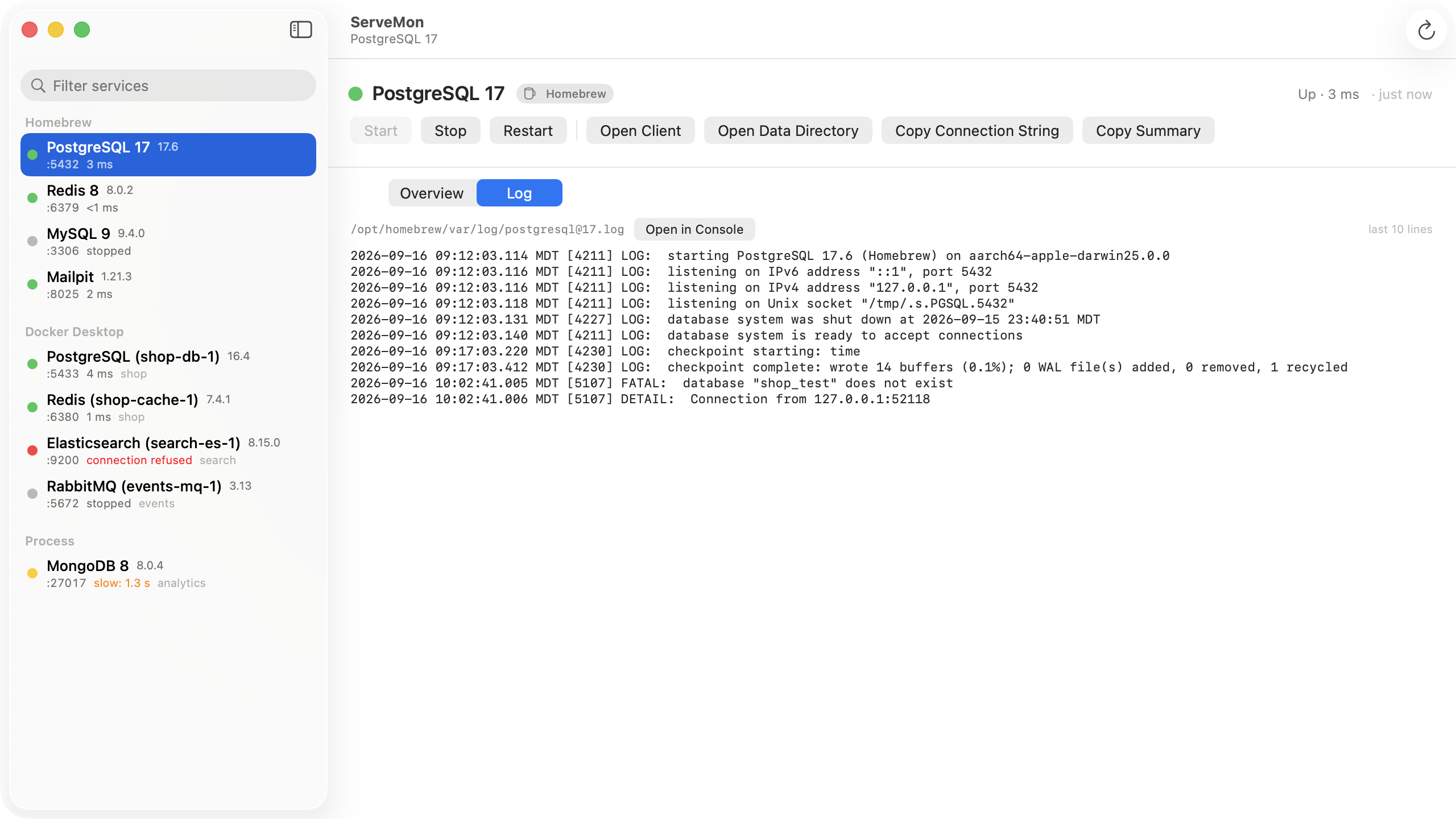
ServeMon lists the Homebrew services it recognizes (Postgres, Redis, MySQL, MariaDB, MongoDB and more), so one whose server has died shows as stopped next to the ones that are up, with its log file in the details and the last lines of that log in the Log tab. For MySQL it finds the <hostname>.err file in the data directory, so step 2 is one click. Its Start button runs brew services start and shows Homebrew’s error text if that fails, so you would see this same message there. ServeMon does not call launchctl itself and offers Restart only for a running service, so for a job that is already loaded, run brew services restart in Terminal.