ServeMon
MongoNetworkError: connect ECONNREFUSED 127.0.0.1:27017
MongoNetworkError: connect ECONNREFUSED 127.0.0.1:27017 comes from mongosh, the Node driver, and Mongoose; newer drivers wrap the same failure in a MongoServerSelectionError after a 30 second wait. The variant connect ECONNREFUSED ::1:27017 has one extra cause, covered below. $(brew --prefix) is /opt/homebrew on Apple silicon and /usr/local on Intel.
Is anything there?
lsof -nP -iTCP:27017 -sTCP:LISTEN
mongosh "mongodb://127.0.0.1:27017" --eval "db.runCommand({ping:1})"
If lsof prints nothing, nothing is listening and the first three sections apply. If it prints mongod, look at the NAME column: 127.0.0.1:27017 alone means IPv4 only, which matters for the ::1 error. com.docker.backend or OrbStack there means a container owns the port. The mongosh line prints { ok: 1 } when a server answers; if it does and your app still fails, the problem is the app's connection string.
Homebrew MongoDB: start it
brew services list
brew services start mongodb-community
MongoDB is not in Homebrew's core repository. The formula is mongodb-community from MongoDB's own tap, with pinned versions such as [email protected] beside it; use the name brew services list shows. If it is not installed yet:
brew tap mongodb/brew
brew install mongodb-community
brew install does not start the server, and neither does a reboot unless you started it with brew services before. For a one-off in the foreground: mongod --config "$(brew --prefix)/etc/mongod.conf".
ECONNREFUSED ::1:27017: localhost is IPv6 first
On a Mac localhost resolves to both ::1 and 127.0.0.1. Since Node 17, Node uses the addresses in the order the system returns them, which puts ::1 first. A mongod started without a config file listens on 127.0.0.1 only, so Node 17 to 19 connect to ::1, are refused, and stop there. Node 20 and later try both addresses, so on those a ::1 in the message usually means nothing is listening on either.
Use the IPv4 address in the connection string instead of localhost:
mongodb://127.0.0.1:27017/mydbOr make mongod listen on both. The config file the Homebrew tap writes today already has this; one written by an older install may not, and Homebrew never overwrites an existing mongod.conf:
grep -A3 '^net:' "$(brew --prefix)/etc/mongod.conf"It should read:
net:
  bindIp: 127.0.0.1, ::1
  ipv6: true
Restart the service after editing. bindIp with ::1 and no ipv6: true does not work.
mongod dies on start: read the log
If brew services list shows error, or started while lsof shows nothing, mongod is exiting during startup. See brew services says started but the service is not running for the launchd side. The reason is in the log:
tail -n 30 "$(brew --prefix)/var/log/mongodb/mongo.log"
pgrep -l mongod
Each line is a JSON object; read the "msg" and "attr" of the lines whose severity "s" is "E" or "F". The common ones:
- DBPathInUse, unable to lock mongod.lock: another mongod already has $(brew --prefix)/var/mongodb open. pgrep finds it; often it is one you started by hand in another terminal. If pgrep finds nothing, a mongod.lock left by a crash is harmless: current versions recover from the journal on the next start, so there is no need to delete it or to run --repair first.
- Permission denied on the data directory, the log, or /tmp/mongodb-27017.sock: mongod was once run with sudo and left files owned by root. ls -la "$(brew --prefix)/var/mongodb" /tmp/mongodb-27017.sock shows the owner; everything should belong to you, and a root-owned socket file has to be removed before the service can start.
- Address already in use: something else has 27017, usually a container. The Docker section applies.
- A message about an invalid featureCompatibilityVersion: the data directory was written by a version too old or too new for this binary. Install the matching pinned formula; do not delete the data directory.
Docker MongoDB: publish the port
docker ps --format '{{.Names}}\t{{.Ports}}' | grep ':27017-'
docker ps -a --filter ancestor=mongo
A container is reachable at 127.0.0.1:27017 only if it publishes the port: -p 27017:27017 on docker run, or ports: ["27017:27017"] in the Compose file. The second command also lists exited containers, which is where a Compose database goes after docker compose stop.
If your app runs in a container too, localhost is that container, not your Mac and not the database. Use the Compose service name, mongodb://mongo:27017, or host.docker.internal to reach a mongod running on the Mac itself. How to tell which kind you have: which local service is Docker, Homebrew, or a bare binary.
The easier way
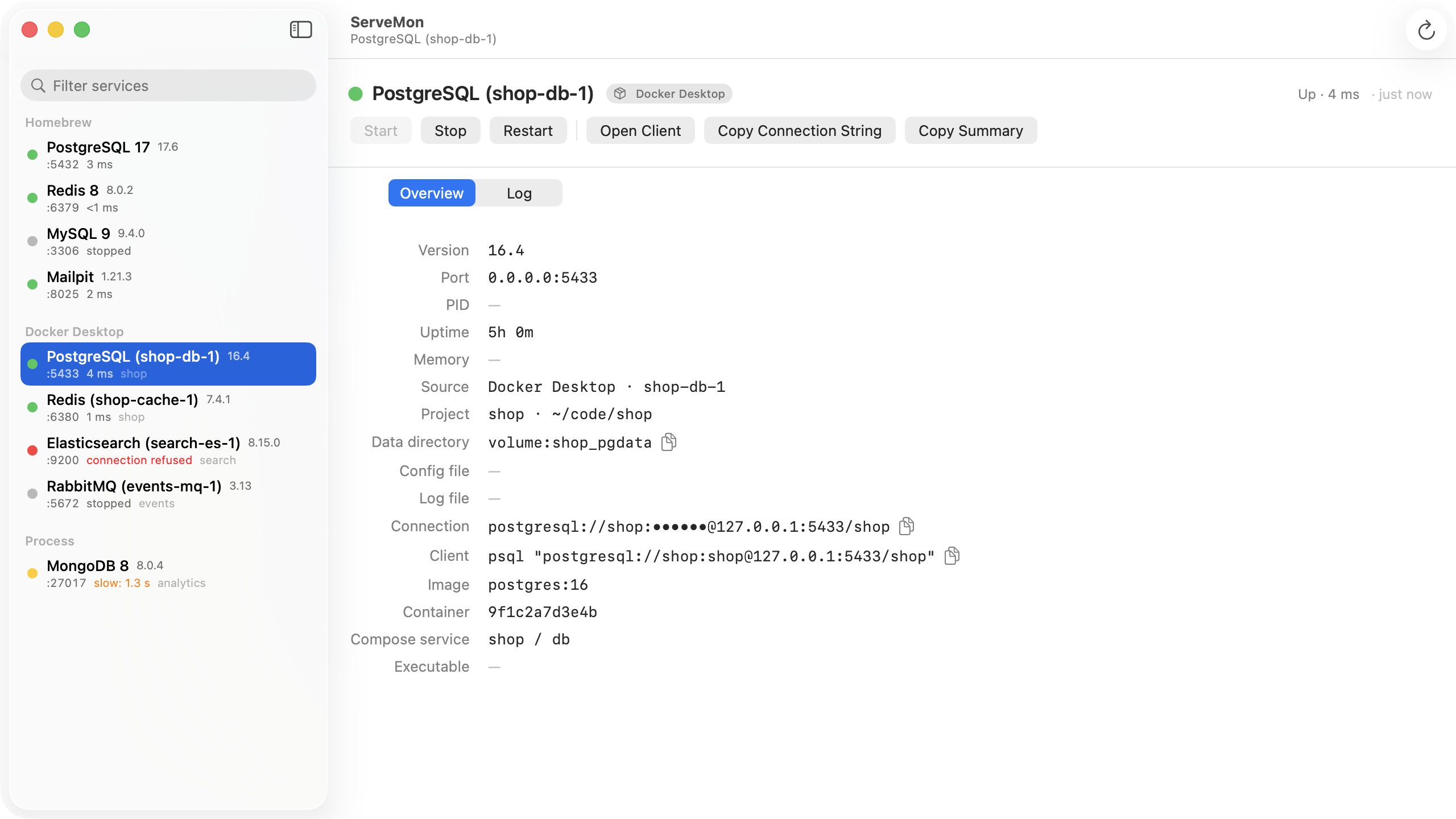
ServeMon lists every MongoDB on the Mac, whether Homebrew, a container, or a mongod started by hand, with its port and bind address. The dot is a real buildInfo command, not a port check: green means it answered, red means the process is up and refusing. A stopped Homebrew service or exited container is still in the list with a Start button, and a container shows the host port it publishes.